Working with files
Preview and original
What the viewer shows, what Starchive keeps, and the three sizes every file comes in.
Archivist Admin
Checked in Starchive on October 13, 2026
You want to know whether what you see in Starchive is the file itself, and which copy to take when you need one.
In the viewer
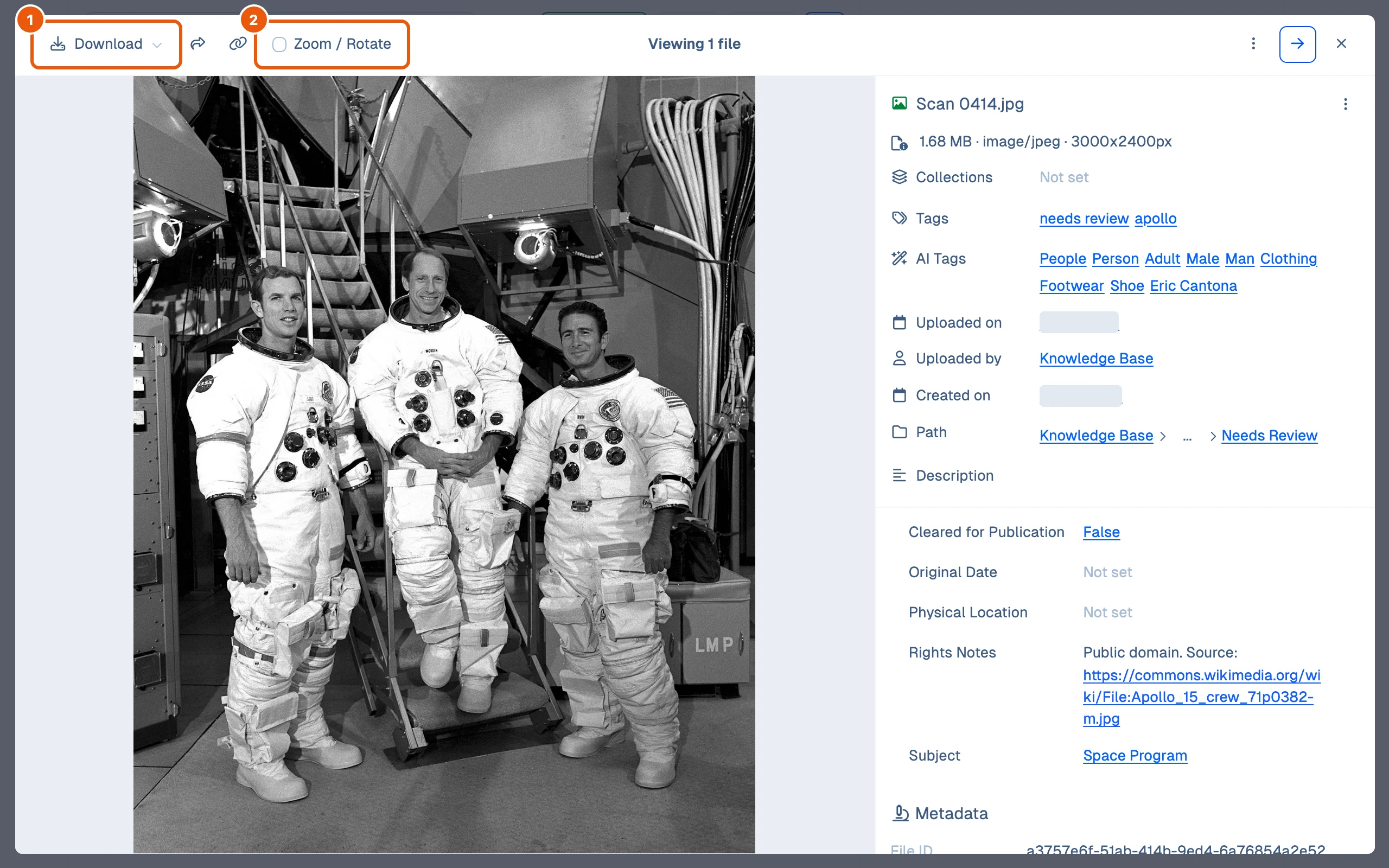
- Right-click a file and choose Expand. The viewer shows the file large, the right way up, with its details beside it. Download opens the same choices as the file menu, below.
- Zoom / Rotate adds zoom and rotate buttons. They change your view only: there is no Save and no crop, and the file stays as it was uploaded.
Compare the copies
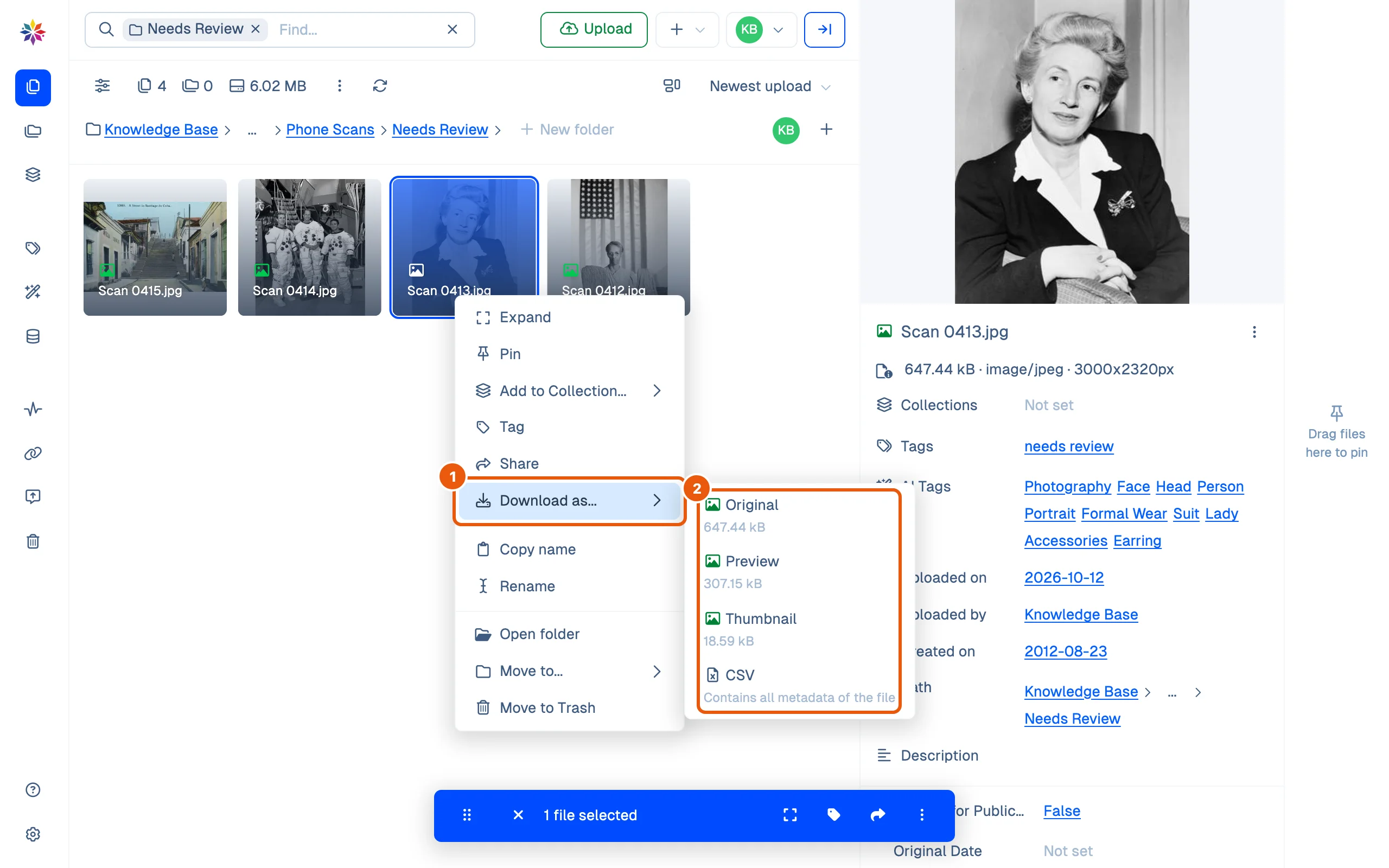
- Right-click the file and point at Download as….
- The list gives every copy Starchive holds, with its size: Original, Preview and Thumbnail, plus a CSV of the file’s details.
Good to know
- Original is the file exactly as it was uploaded, under its own name. For the scan above: the same 647.44 kB, still stored sideways, with the note that turns it upright.
- Preview is a smaller copy for viewing, made by Starchive. For that scan it is an upright JPEG, 1980 × 2560 pixels, 307.15 kB. The preview can be another format: an MP4 for the WebM video in the table below, a PDF for the Word document.
- Thumbnail is the smallest copy: 309 × 400 pixels for the scan. A Word document has none.
- A downloaded Preview or Thumbnail carries a long name: the original’s name, two IDs, then
_proxy__previewor_proxy__thumbnailbefore the extension. Rename it if you keep it. - The size in a file’s details, 3000x2320px for the scan, is the original’s stored size, even when the picture is shown turned upright.
- Starchive does not keep versions of a file: a corrected scan uploaded later is a second file beside the first, so name it so people can tell which is current (see Name your files).
The copies of the files on this page
| File | Original | Preview | Thumbnail |
|---|---|---|---|
| Scan 0413.jpg (photo stored sideways) | JPEG, 647.44 kB, sideways + orientation note | JPEG, 307.15 kB, 1980 × 2560, upright | JPEG, 18.59 kB, 309 × 400, upright |
| Apollo 15 Lunar Rover Deployment.webm (video) | WebM, 1.02 MB | MP4, 582.68 kB | 9.75 kB |
| Gettysburg Address.docx (Word) | Word, 12.83 kB | PDF, 102.92 kB, 11 pages | none |
Questions
Which one should I send to a printer or keep as the archival copy?
The Original. It is the file exactly as it was uploaded; the Preview is a smaller copy made for viewing.
The photo is upright in Starchive but sideways on my computer. Why?
The original is stored sideways with a note inside it (EXIF orientation) saying which way is up. Starchive reads the note; some programs ignore it. The Preview and Thumbnail have the turn built in, so they are upright everywhere.
Can I straighten a sideways photo in Starchive?
No. The viewer's Zoom / Rotate turns your view of it and has no Save; the file is not changed.