Sharing
Download from a shared link
Save one file or all of them from a Starchive link, and what you actually receive.
You have a Starchive link and want copies of the files on your own computer.
Download
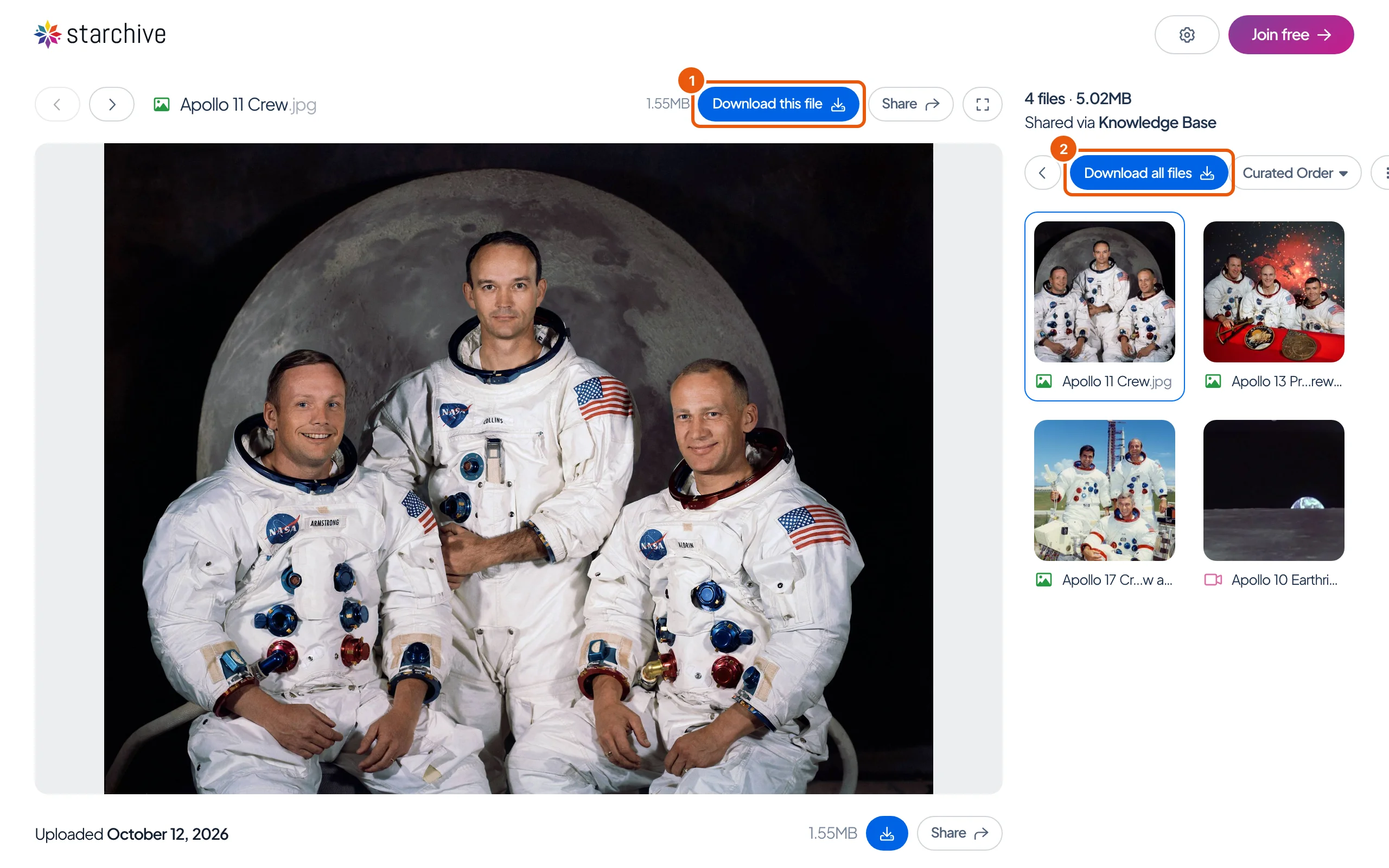
- Download this file, above the file you are looking at, saves that one file. On a phone, it is the round download button under each file.
- Download all files gathers every file on the link into one zip. “Preparing download…” shows while it is made; then a Your downloads panel lists the zip with a Download button. Click it to save the zip.
What you receive
The person who shared the link chose, when they made it, whether it hands out previews or originals:
- Previews are smaller copies for looking at, reviewing and laying out. A photograph shown on the page as 1.55 MB arrived as a 494 kB JPEG, 2560 pixels wide.
- Originals are the files exactly as they were uploaded.
The page itself does not say which; the size beside each file is the original’s either way. Files keep their own names, and the zip holds them side by side with no folders.
Good to know
- No download buttons at all means the link was shared for viewing only.
- The zip is named after the day, for example
starchive_download_Tue_Oct_13th_2026.zip.
This page's run
The link shared four files (three photographs and a film) with previews. Download this file on the first photograph saved Apollo 11 Crew.jpg, 494 kB, while the page listed it at 1.55 MB. Download all files produced a 2.6 MB zip of the four previews, while the page gave the four files as 5.02 MB in all.
Questions
There is no download button.
The person who shared the link did not allow downloads. Ask them if you need copies.
The file I downloaded is smaller than the size on the page.
The page shows the size of the original. If the link was shared with previews, you receive the preview, a smaller copy made for viewing.
Can I choose between the original and the preview?
No. The person who shared the link made that choice for everyone who opens it. Ask them if you need the other one.