Adding files
List fields and their vocabularies
Keep a fixed set of terms for a field, add a term when you need one, and see which files use each.
Archivist Admin
Checked in Starchive on October 12, 2026
Free text drifts: Letters, letter, Correspondance. A list field keeps a vocabulary, a fixed set of terms, so every file uses the same words and filters find them all.
Steps
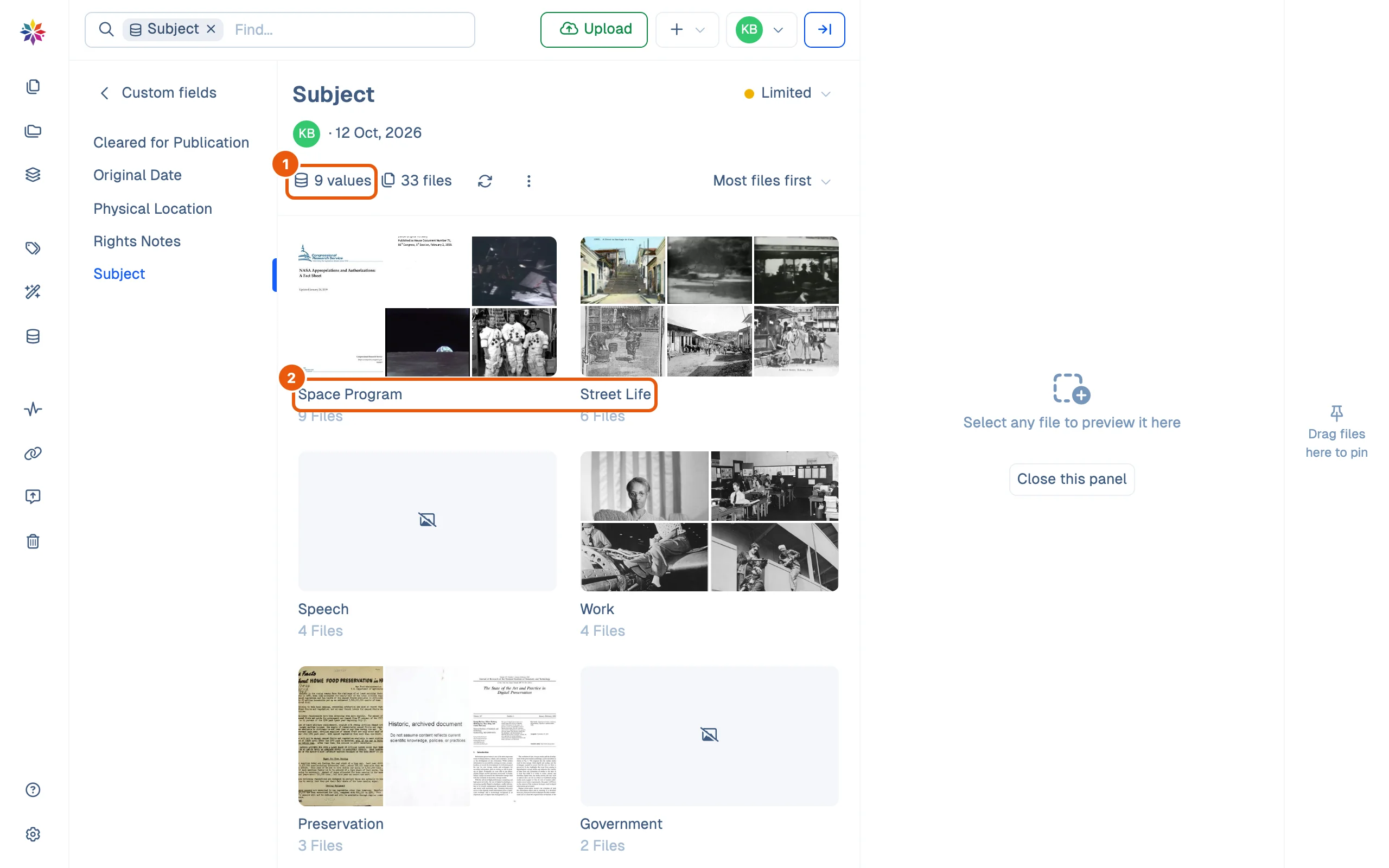
- Click Custom Fields in the rail and open a list field. Here it is Subject: 9 values used on 33 files.
- Each term is a tile showing how many files carry it, sorted Most files first.
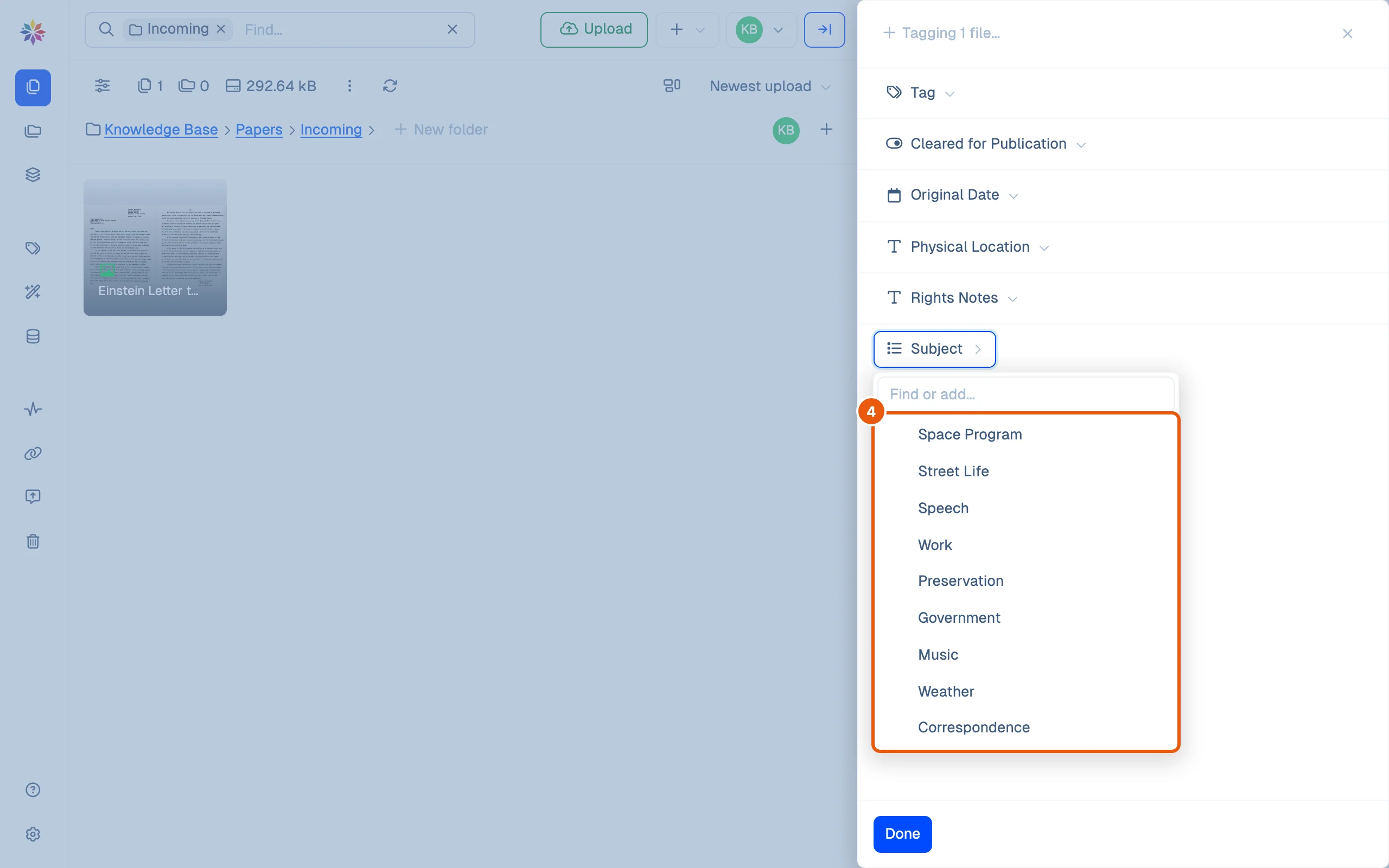
- To use a term, right-click a file, choose Tag, and click Subject in the drawer.
- Click a term to add it. If the term you need is not there, type it into Find or add… and click Create ”…”: it joins the vocabulary and the file in one go. Correspondence was added this way and now sits at the end of the list.
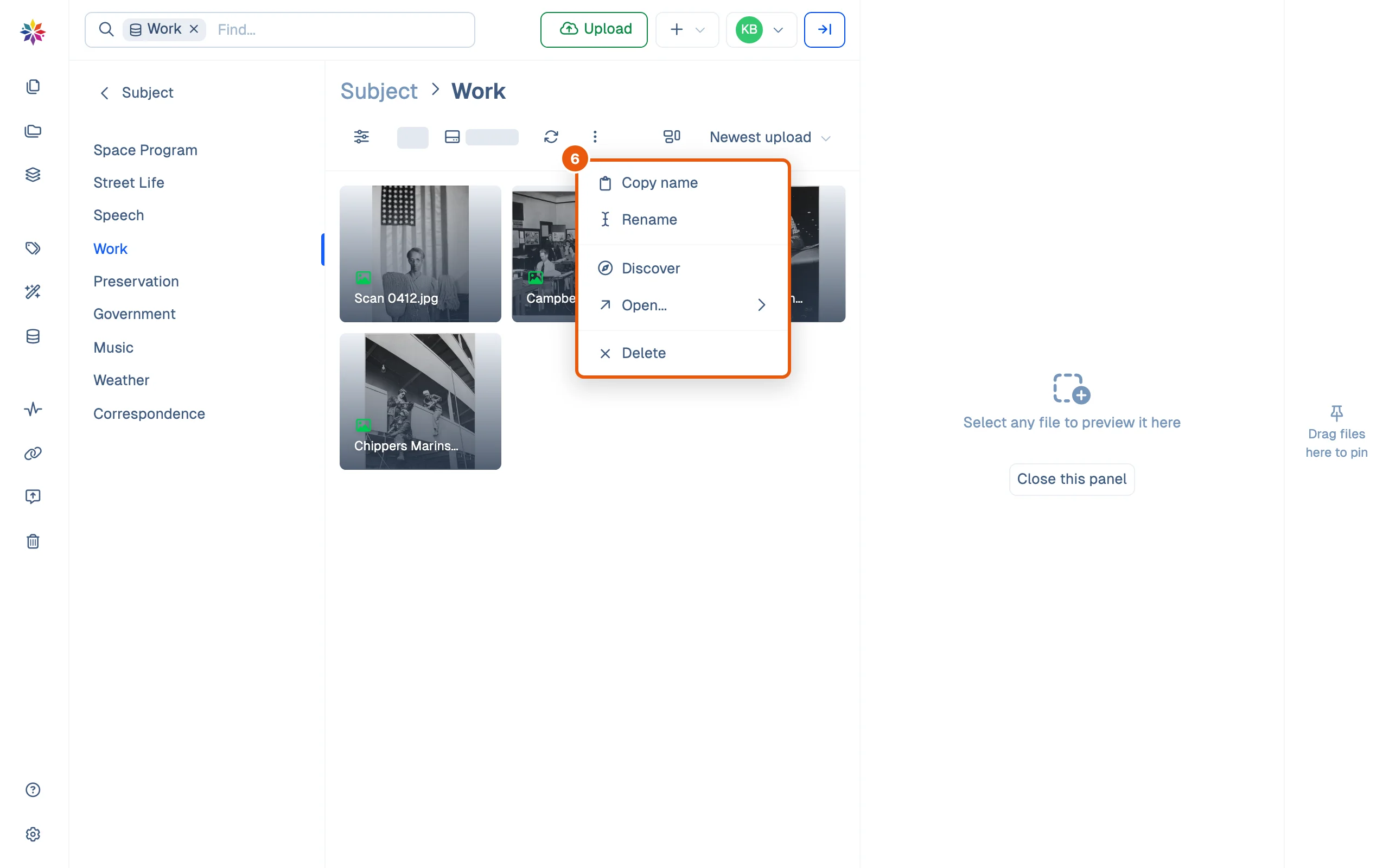
- Back on the field’s page, double-click a term’s tile to open it: the files that carry it, with every term listed on the left.
- The term’s ⋮ menu holds Copy name, Rename, Discover, Open… and Delete.
Good to know
- The field’s own ⋮ menu, on its page, also offers Create value: a way to add a term before any file uses it.
- A term stays in the vocabulary even when no file uses it, ready for the next one.
- Rename and Delete change the term for everyone. This guide has not yet walked through what they do to the files carrying it; try them on a term no file uses first.
- A filter on a field matches its values exactly, so a well-kept vocabulary is also a dependable filter. See Filters.
Planning a vocabulary
- Decide the terms before the first upload, and write down what each means.
- Keep terms parallel: all nouns (Work, Music, Weather) or all phrases, not a mix.
- Prefer a few broad terms over many narrow ones; narrow detail belongs in tags or a paragraph field.
- When two terms mean the same, pick one and move the files to it before you delete the other.
Questions
What is the difference between a list term and a tag?
Tags are one shared, open pool. A list field has its own vocabulary, so "Correspondence" as a Subject cannot be confused with a tag of the same name, and everyone picks from the same spelled-out terms.
Who sees a list field?
Whoever its visibility allows. Subject is Limited, so every member of the workspace sees it. The visibility shows at the top right of the field's page.