Working with files
Collections
Gather files from any folder into a collection, describe it, and choose who can open it.
You want a set of files, from wherever they are kept, in one place for a purpose: here, three street scenes from the 1900s for a screen in the lobby.
Create the collection
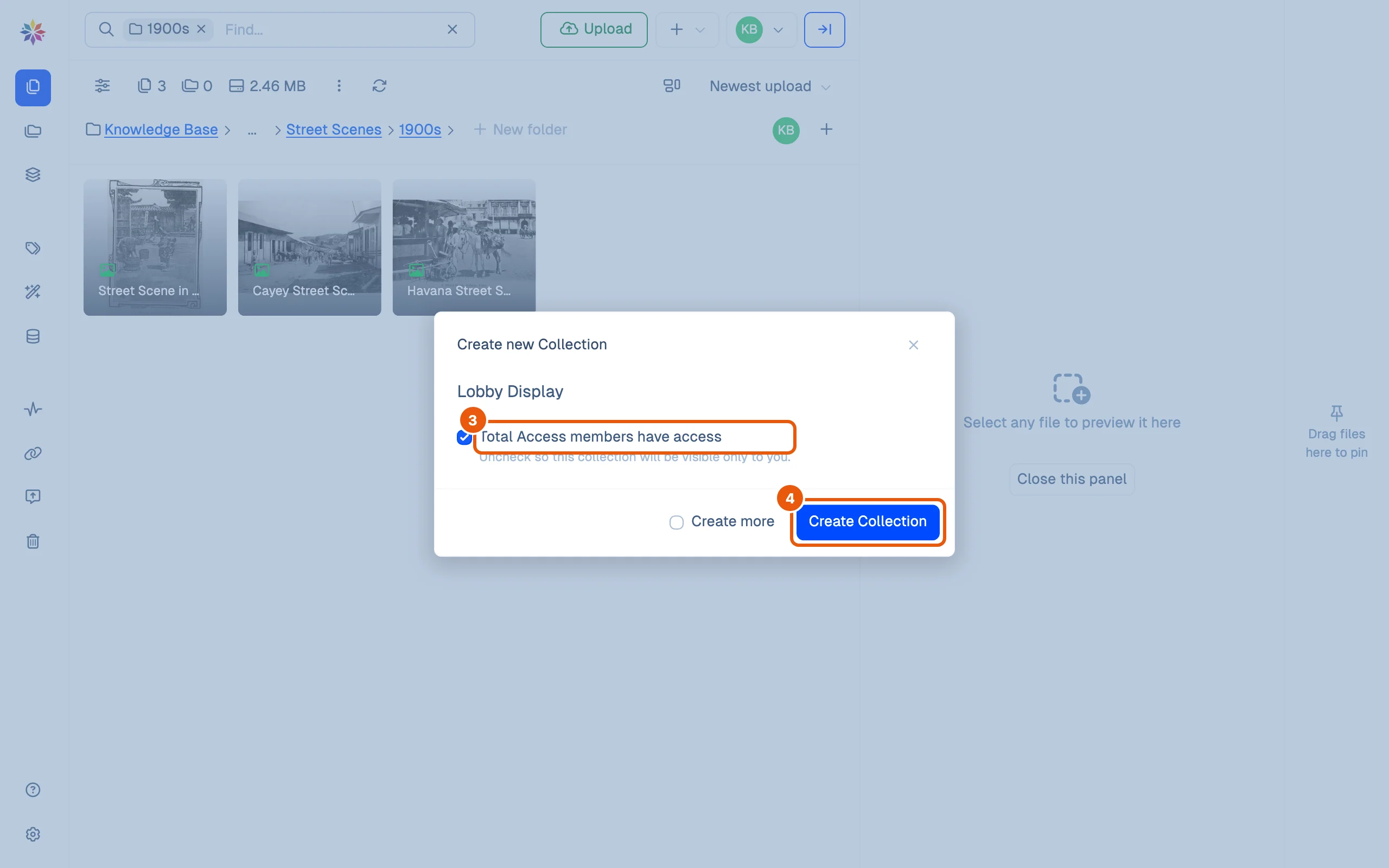
- Click + beside Upload and choose Create Collection.
- Type its title.
- Leave Total Access members have access ticked to add the workspace’s Total access members to the collection, or untick it to keep the collection to yourself.
- Click Create Collection.
Add files
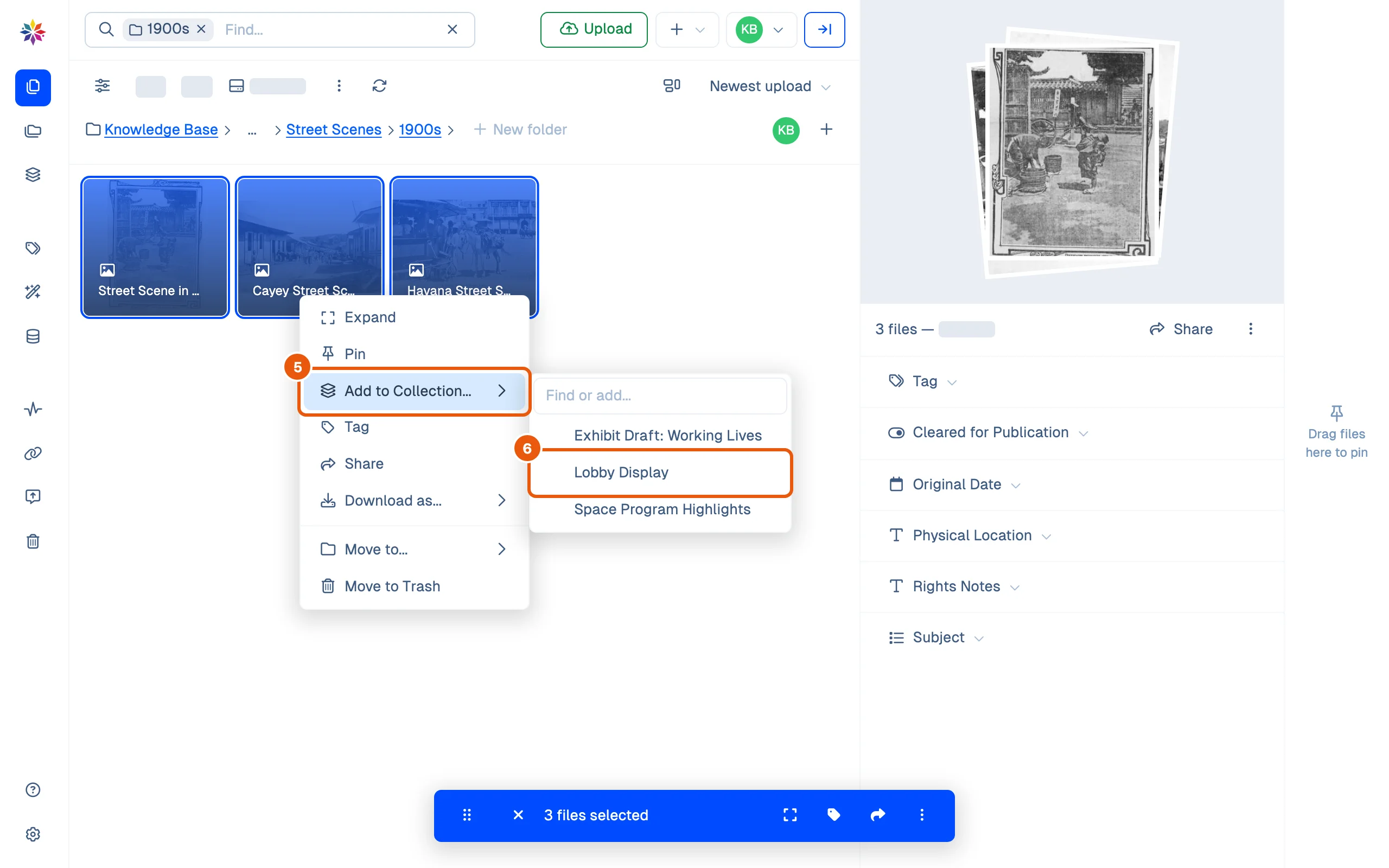
- Select the files (⌘-click for several), right-click one of them and point at Add to Collection….
- Click the collection (a Find or add… box sits above the list). A message confirms it, 3 files added to collection “Lobby Display”, with Undo.
Describe it and choose who can open it
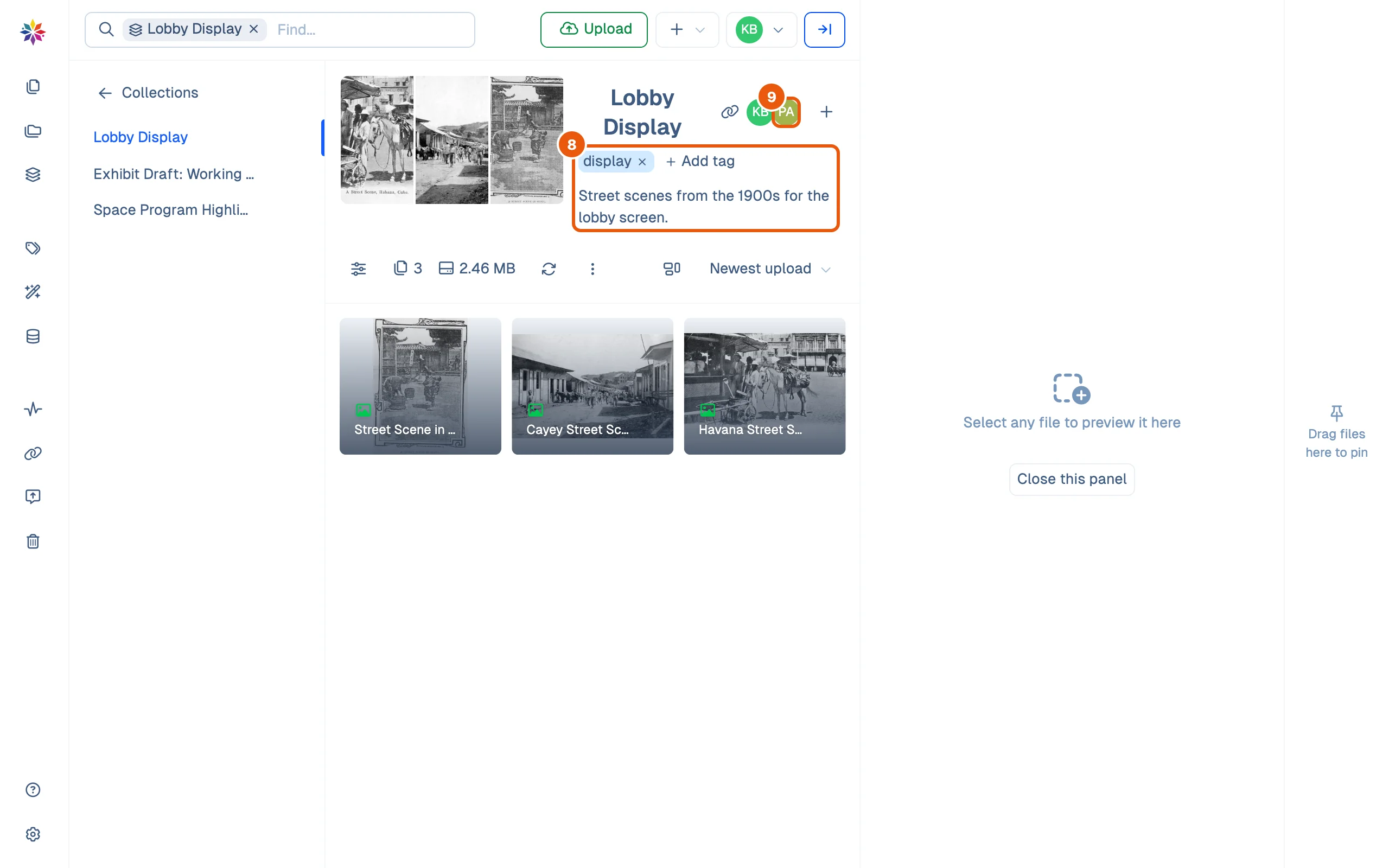
- Open Collections in the left rail and click the collection.
- Click Add tag to give the collection a tag, and Write a description… to say what it is for. The description is kept when you click away.
- The round avatars beside the title are the members who can open it. Click + after them to manage members.
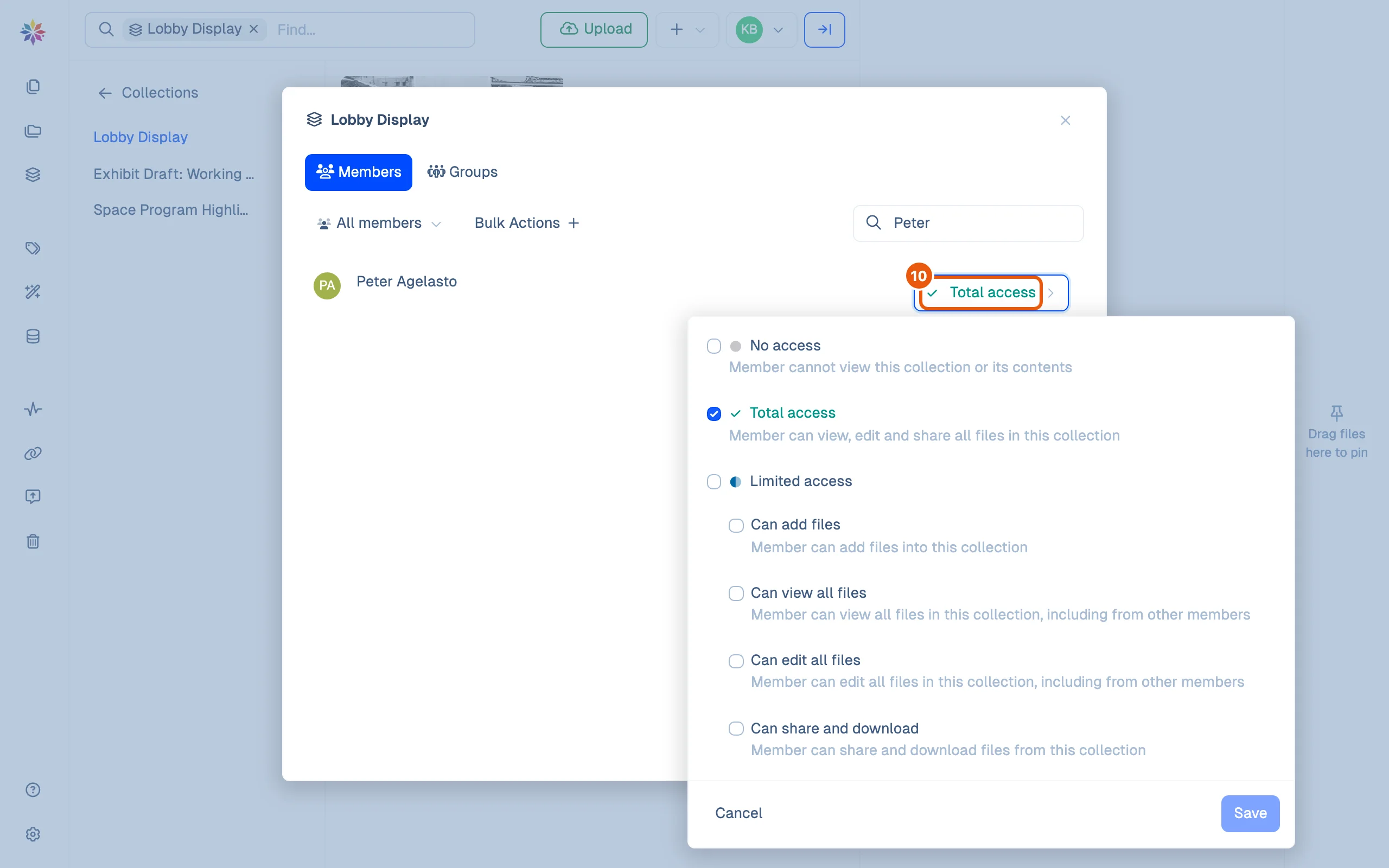
- Type a name in Find member… to narrow the list, then click that member’s access button. The menu offers No access, Total access (view, edit and share every file in the collection) or Limited access, with four switches: Can add files, Can view all files, Can edit all files, Can share and download. Click Save.
Good to know
- A Groups tab sits beside Members in the same dialog.
- Members with Restricted access see only the folders and collections they are given here; see Roles and permissions.
- The Collections screen lists every collection with its file count, newest first, and filters them by their tags: Collections must match all selected tags.
- To share a collection’s files with someone outside the workspace, select them and use Share; see Share a link.
This page's collection
Lobby Display: three photographs from Photographs › Street Scenes › 1900s, the tag display, and the description Street scenes from the 1900s for the lobby screen. It was created with Total Access members have access ticked, so the workspace’s Total access member is listed under Members.
Questions
Does adding a file to a collection move or copy it?
Neither. The file stays in its folder, and the collection lists it. A file can be in several collections.
What is the difference between a collection and a folder?
A file lives in exactly one folder; that is where it is kept. A collection is a selection for a purpose, an exhibit or a display, drawn from any folders.
Are a collection's tags the same as file tags?
No. A collection's tags label collections, and the Collections screen filters by them. They are not added to the files inside.