Working with files
Download files
Take one file in the size you need, or several as a zip, previews or originals.
Archivist Admin
Checked in Starchive on October 13, 2026
You need a copy of a file outside Starchive: an original for a printer, a preview for a slide, or a set of files for a colleague.
One file
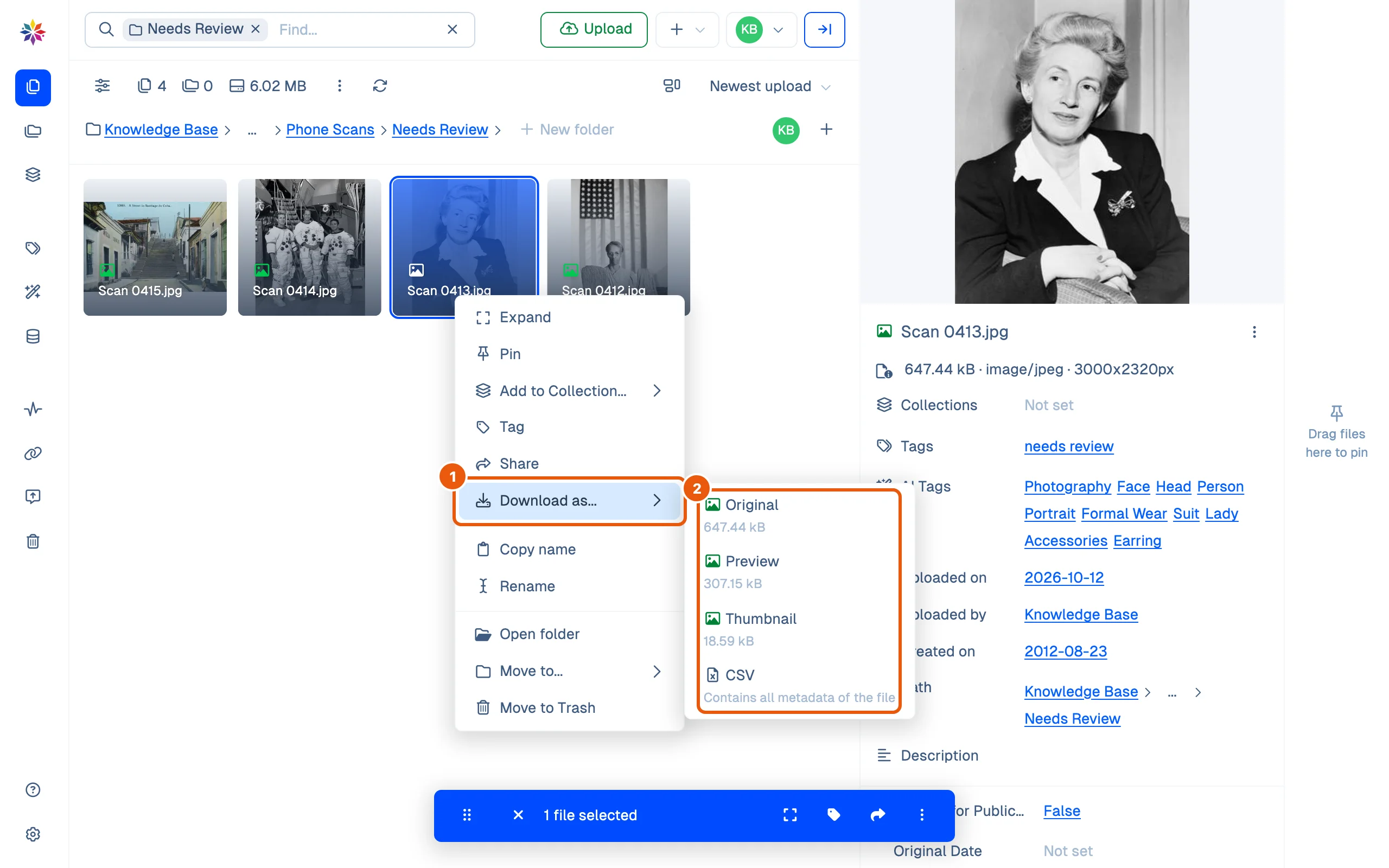
- Right-click the file and point at Download as…. (In the viewer, the Download menu at the top left offers the same.)
- Click Original, Preview or Thumbnail; each shows its size. The file goes to your browser’s downloads straight away.
Several files
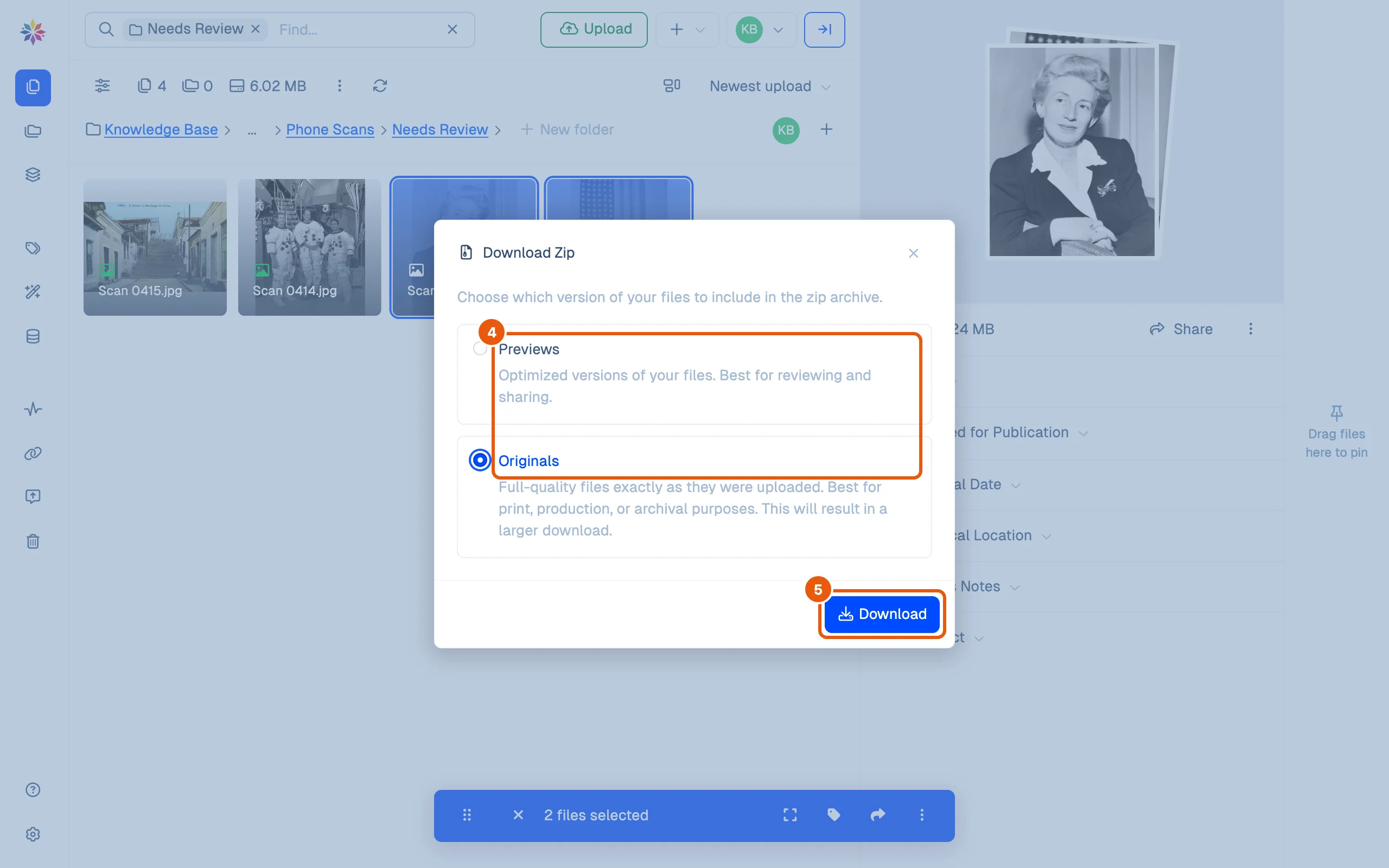
- Select the files (⌘-click), right-click one of them and point at Download as…. With several files it offers Zip and CSV. Click Zip.
- Choose Previews (optimized versions, best for reviewing and sharing) or Originals (full-quality files exactly as they were uploaded; a larger download).
- Click Download.
- Starchive builds the zip in the background. A Running tasks… panel at the bottom right names it; when it is ready the panel closes and the zip is handed to your browser to download. Keep the tab open until then.
The CSV choice works the same way, as a running task.
Good to know
- An Original keeps its own name. A Preview or Thumbnail arrives with a long name ending in
_proxy__previewor_proxy__thumbnail; rename it if you keep it. - A Word document has no Thumbnail: its menu offers Original, Preview (a PDF) and CSV.
- Who may download depends on the member’s access; see Roles and permissions.
- A running task can wait in a queue first. On this page’s run, a zip of two originals was ready in 13 seconds and a one-file CSV in about a minute; the first CSV of the day waited several minutes.
What each choice gives you
| Choice | You get |
|---|---|
| Original | The file as uploaded, under its own name |
| Preview | A smaller copy for viewing, sometimes in another format (a PDF for a Word document) |
| Thumbnail | The smallest copy |
| Zip of Originals | starchive_download_<date>.zip: the originals under their own names, side by side, with no folders |
| CSV | starchive-export-<date and time>.csv: one row per file with its ID, title, path, tags, AI tags and a column for every custom field |
Questions
Which should I download, the Original or the Preview?
The Original for print, production or the archival copy; the Preview to look at, send for review or put in a presentation. See [Preview and original](/guide/work/preview-and-original).
Can I choose the size for each file in a zip?
No. One choice covers the whole zip, Previews or Originals.
What is the CSV?
A spreadsheet of the file's details. The menu describes it as containing all metadata of the file.