Getting started
Views and sorting
Show files as a grid, masonry, table or columns, and put them in the order you need.
Archivist Admin
Checked in Starchive on October 12, 2026
You want to see a folder’s files the way that suits the job: big pictures to spot an image, a table to compare sizes and dates.
Steps
- Open a folder. Here it is Photographs › Workplace › 1940s: four photographs as a grid, sorted by Newest upload.
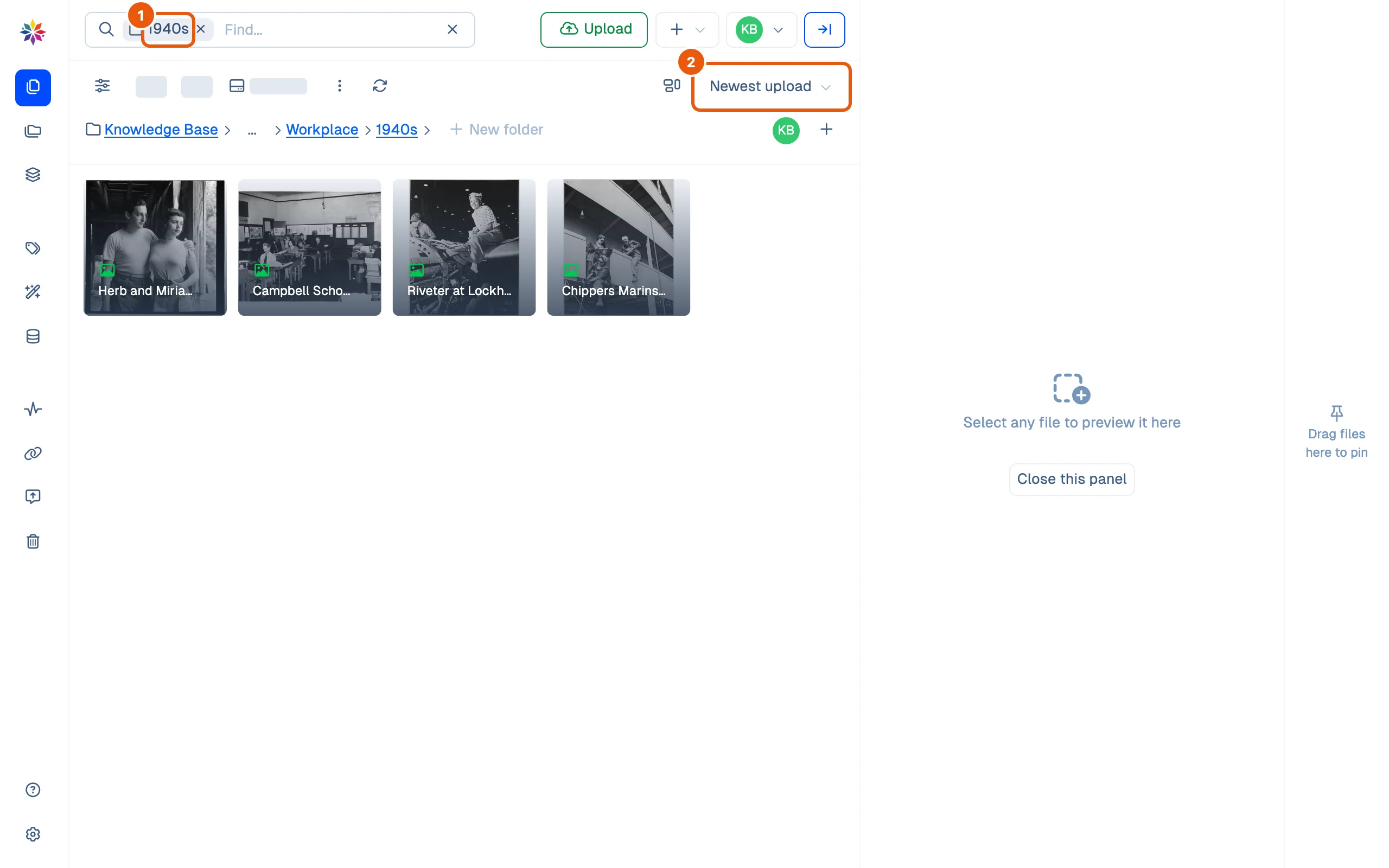
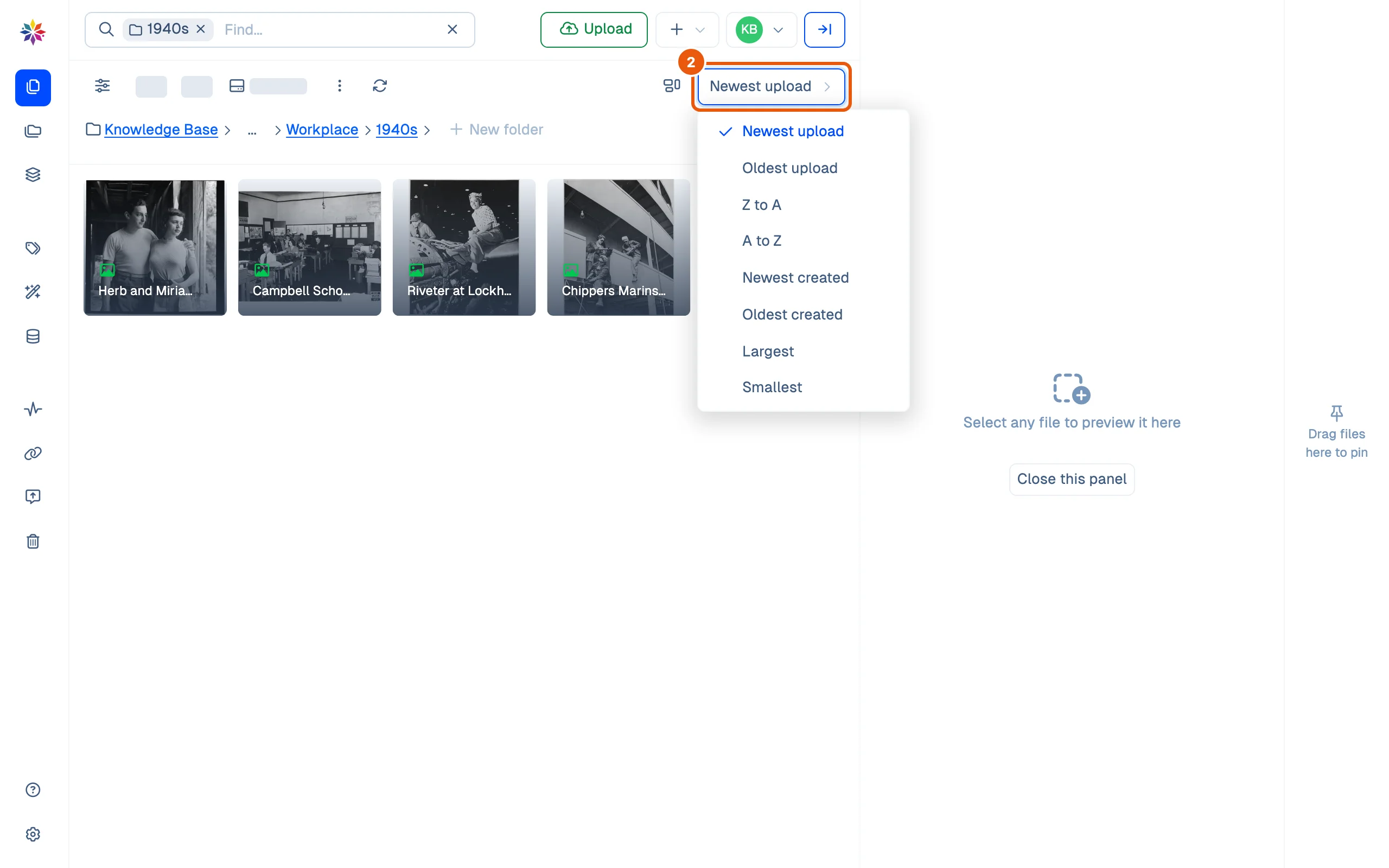
- Click the sort menu (Newest upload) and choose an order: newest or oldest upload, Z to A or A to Z by name, newest or oldest created, largest or smallest.
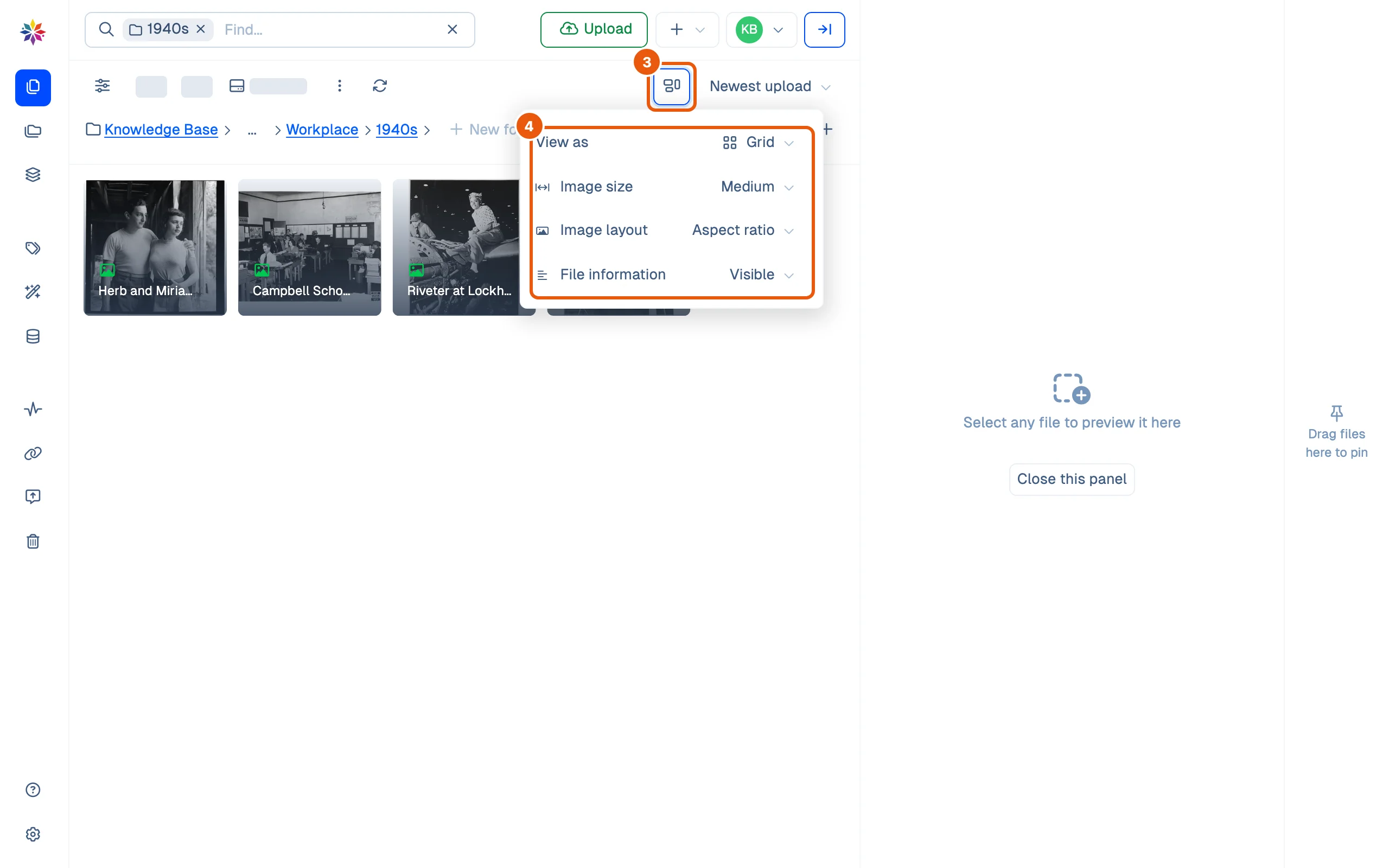
- Click the view button, left of the sort menu.
- Set View as, and for the grid: Image size (Small to XX Large), Image layout (Aspect ratio keeps each picture’s shape, Square shows them all as squares) and File information (Visible or Hidden names).
- Pick Table to see one row per file with its Title, Size, Uploaded on date and AI Tags.

Good to know
- There are four views: Grid, Masonry (bigger pictures at their own height, stacked in columns), Table and Panel (one column per folder level; see How Starchive is organized).
- Starchive remembers the view you picked in this browser. Another browser or computer starts from the grid.
- On a phone the files stack in one column beside the rail, but the sort menu and the view button are cut off at the right edge. Use a wider screen to reach them.

Questions
Will Starchive keep the view I picked?
In this browser, yes. On another browser or computer you start from the grid and Newest upload.
What is the difference between "upload" and "created"?
Uploaded is when the file arrived in Starchive. Created is the file's own date, the one its details list as Created on.