Getting started
Roles and permissions
Find out what your access level lets you do, and what the other levels mean.
You want to know what you are allowed to do in your workspace before you start, or why a button is missing.
Steps
- Click Settings at the bottom of the rail, then Profile.
- Under Permissions, your access level is ticked. You can read it here, but not change it.
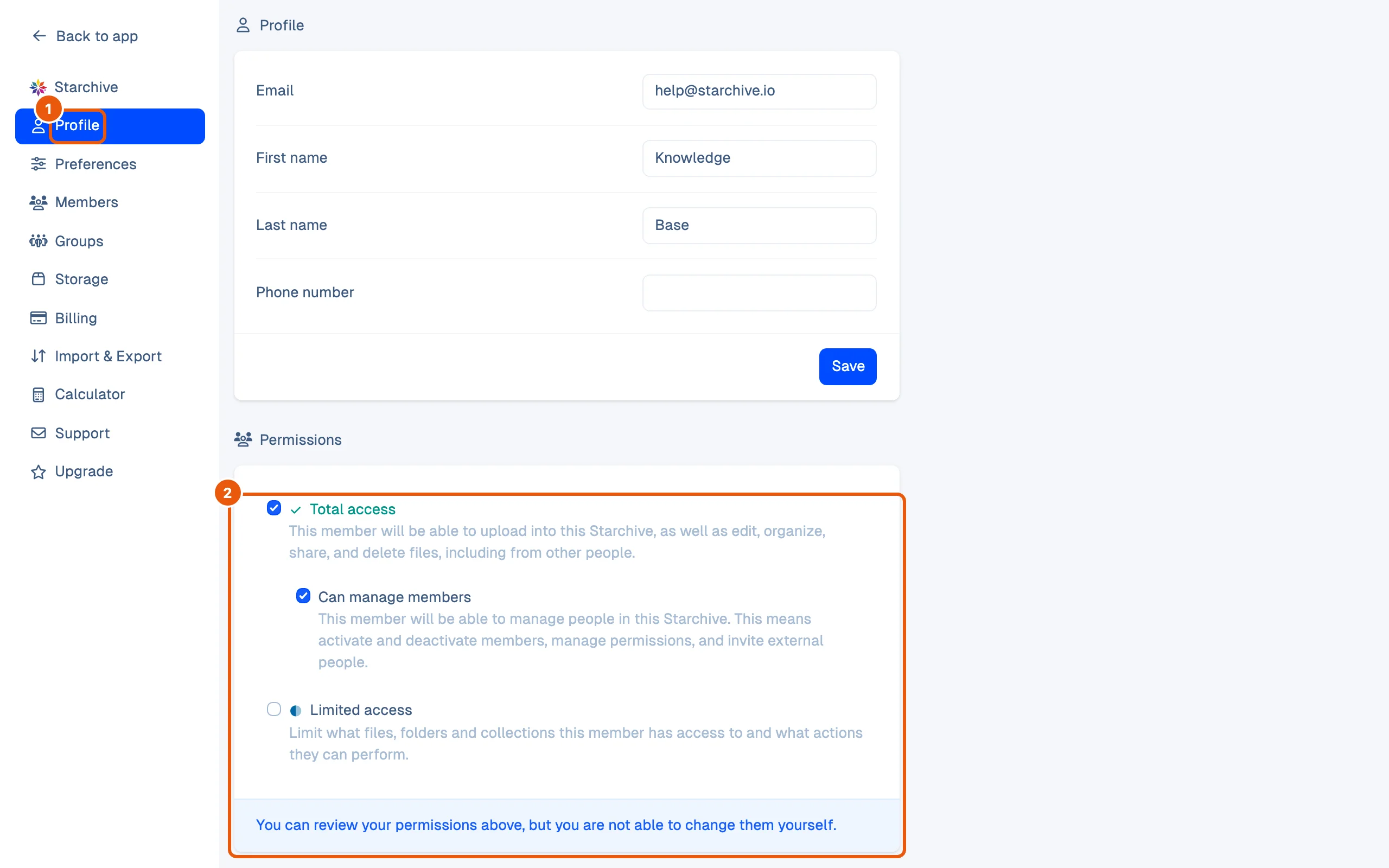
The access levels
These are the levels an admin chooses from when inviting someone, in the words Starchive uses.
| Level | What it allows |
|---|---|
| Owner | The member who created the workspace. Shown as Owner in the member list. |
| Total access | Upload, edit, delete, download and share any file, including other members’ files, and set up the workspace: custom fields, collections and more. |
| Total access + Can manage members | Also invite people, activate and deactivate members and change their permissions. |
| Limited access | Exactly what the admin switches on: Can upload, Can view all files, Can edit any file, Can download and share any file. |
| Restricted access | Only the folders and collections the member was given. They cannot upload, see or use anything else. |
Good to know
- Everyone, at every level, can see, edit, remove, download and share the files they uploaded themselves.
- Folders and collections have their own member list (the + beside the avatars, right of the breadcrumb). That is how a Restricted member is given a folder, and how an admin fine-tunes a Limited member.
- Members can also be put in groups, which get access the same way. Your Profile lists the groups you are in.
- Admins invite and edit members under Settings → Members; see Members and roles.
How this page was checked
The steps were performed as the workspace’s owner, and the table quotes the Invite dialog. What each level hides from a member who has it is checked in the Administration section, with a member at that level.
Questions
Can I change my own access level?
No. Your Profile shows it, but only a member who can manage members can change it.
I can't see a folder a colleague talks about.
Your access level may not include it. Ask an admin to add you to that folder or collection, or to change your level.
Can I always edit the files I uploaded?
Yes. Whatever your level, you can see, edit, remove, download and share the files you uploaded yourself.