Getting started
How Starchive is organized
Files, folders, collections, tags and custom fields, and where each one lives.
Archivist Admin
Checked in Starchive on October 12, 2026
You want to know where your files are and how Starchive groups them, before you search or upload anything.
Steps
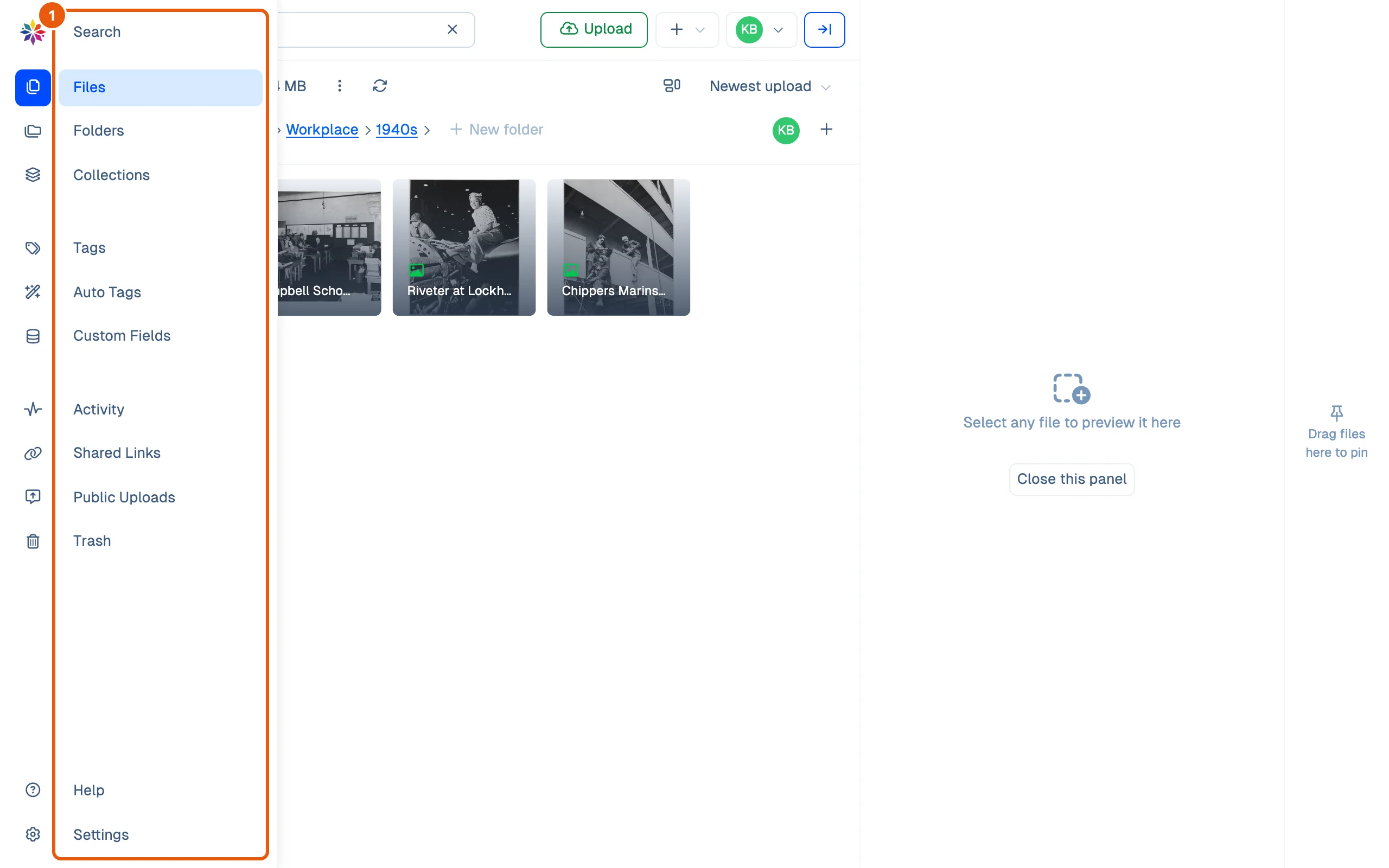
- Point at the rail on the left. It widens and names every screen: Search, Files, Folders and Collections for finding files; Tags, Auto Tags and Custom Fields for describing them; Activity, Shared Links, Public Uploads and Trash; and at the bottom Help and Settings.
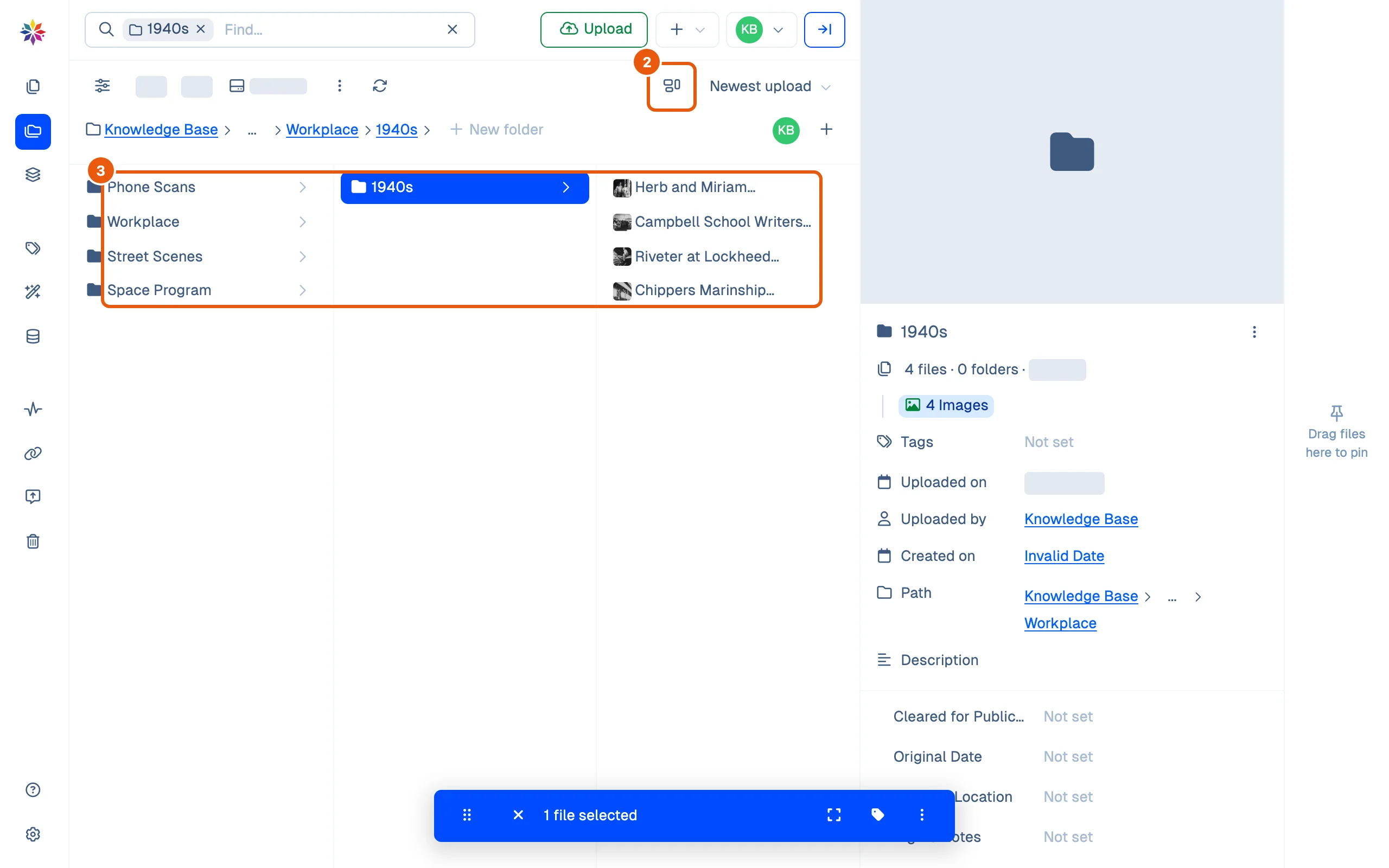
- Click Folders. The top-level folders appear. Click the view button beside the sort menu and set View as to Panel.
- Click Photographs, then Workplace, then 1940s. Each click opens the next level in a new column, and the last column lists the folder’s files. The breadcrumb above the columns shows where you are; click any part of it to go back up.
- Click Files in the rail. At the top of the workspace it lists every file you can see in one list. Inside a folder, it lists only that folder’s own files.
Good to know
- Folders hold files the way folders on your computer do: each file is in exactly one folder.
- Collections gather files from any folders without moving them. A collection can be private or shared; see Collections.
- Tags are labels you add. Auto Tags are labels Starchive’s AI adds by itself, such as “Alley” or “Adult”. Custom Fields are the description fields your workspace defines, such as a subject list or a date.
- Clicking a folder or file once shows its details in the panel on the right: counts, size, who uploaded it, its path and its custom fields. Double-click a folder in the grid to open it.
- The search box always says where you are looking. In a folder it names the folder, and what you type there searches only that folder.
The four kinds of grouping, side by side
| What it is | A file can have | |
|---|---|---|
| Folder | Where a file is stored | One |
| Collection | A hand-picked set, across folders | Many |
| Tag / Auto Tag | A label, added by people / by AI | Many |
| Custom field | A named value, such as a date or a subject | One value per field |
Questions
I opened a folder and it says "No files found", but I know it isn't empty.
Files shows only the files sitting directly in a folder, not the ones in its subfolders. Open Folders to see the subfolders and step into them.
Can a file be in two folders?
No, a file lives in one folder. To gather files from several folders in one place, add them to a collection.
Why does Files at the top level list everything?
At the top of the workspace, Files lists every file you can see, wherever it is filed. Open a folder to narrow it down.