Administration
Import and export
Where to import custom fields from a CSV file and export file details or the trash to CSV.
Admin
Checked in Starchive on October 13, 2026
You want your workspace’s details in a spreadsheet, or details from a spreadsheet in your workspace. Both start on one page.
Open Import & Export
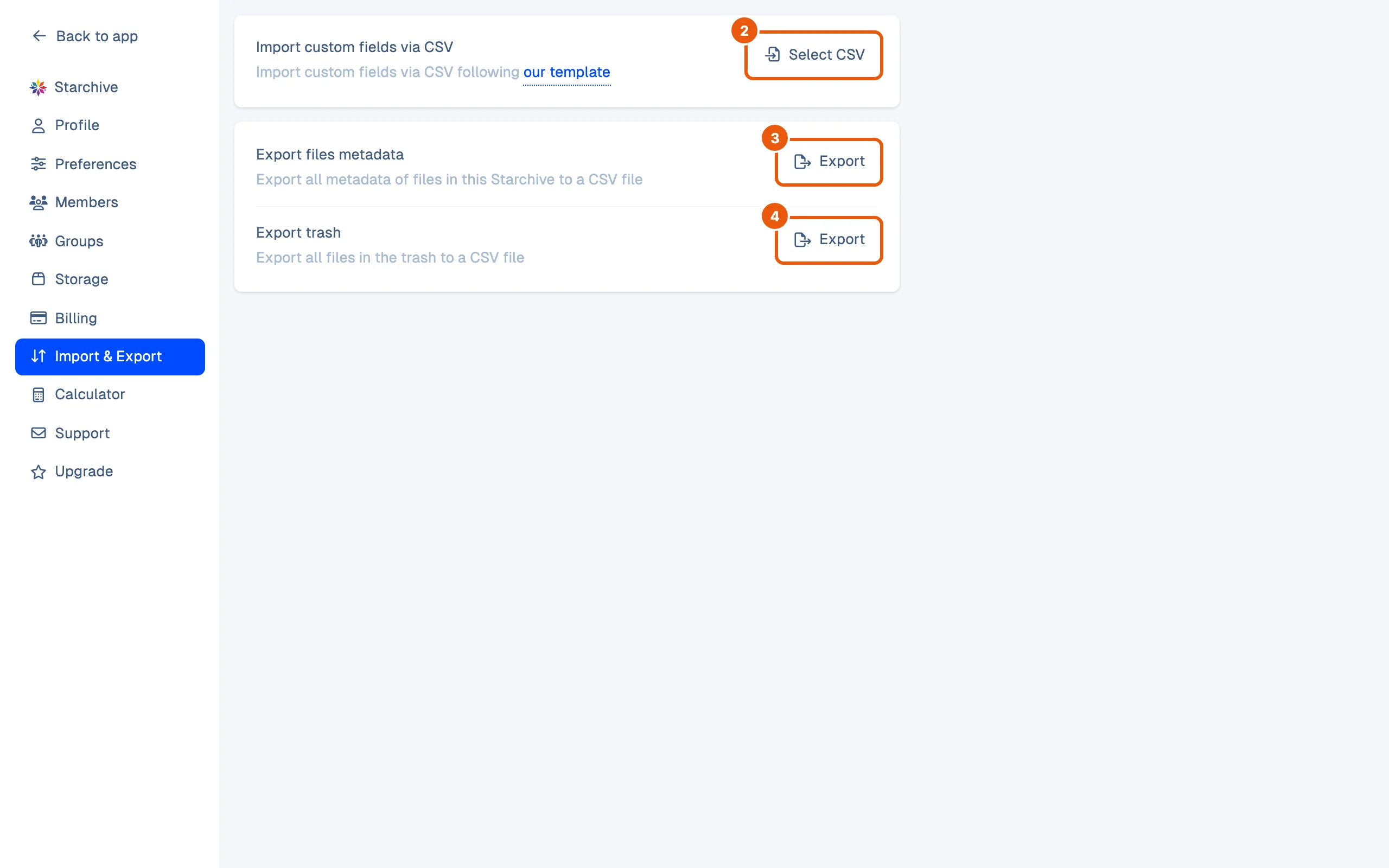
- Click Settings at the bottom of the left rail, then Import & Export. (+ beside Upload → Import data opens the same page.)
- Import custom fields via CSV: Import custom fields via CSV following our template, with a Select CSV button.
- Export files metadata: Export all metadata of files in this Starchive to a CSV file.
- Export trash: Export all files in the trash to a CSV file.
Start from the template
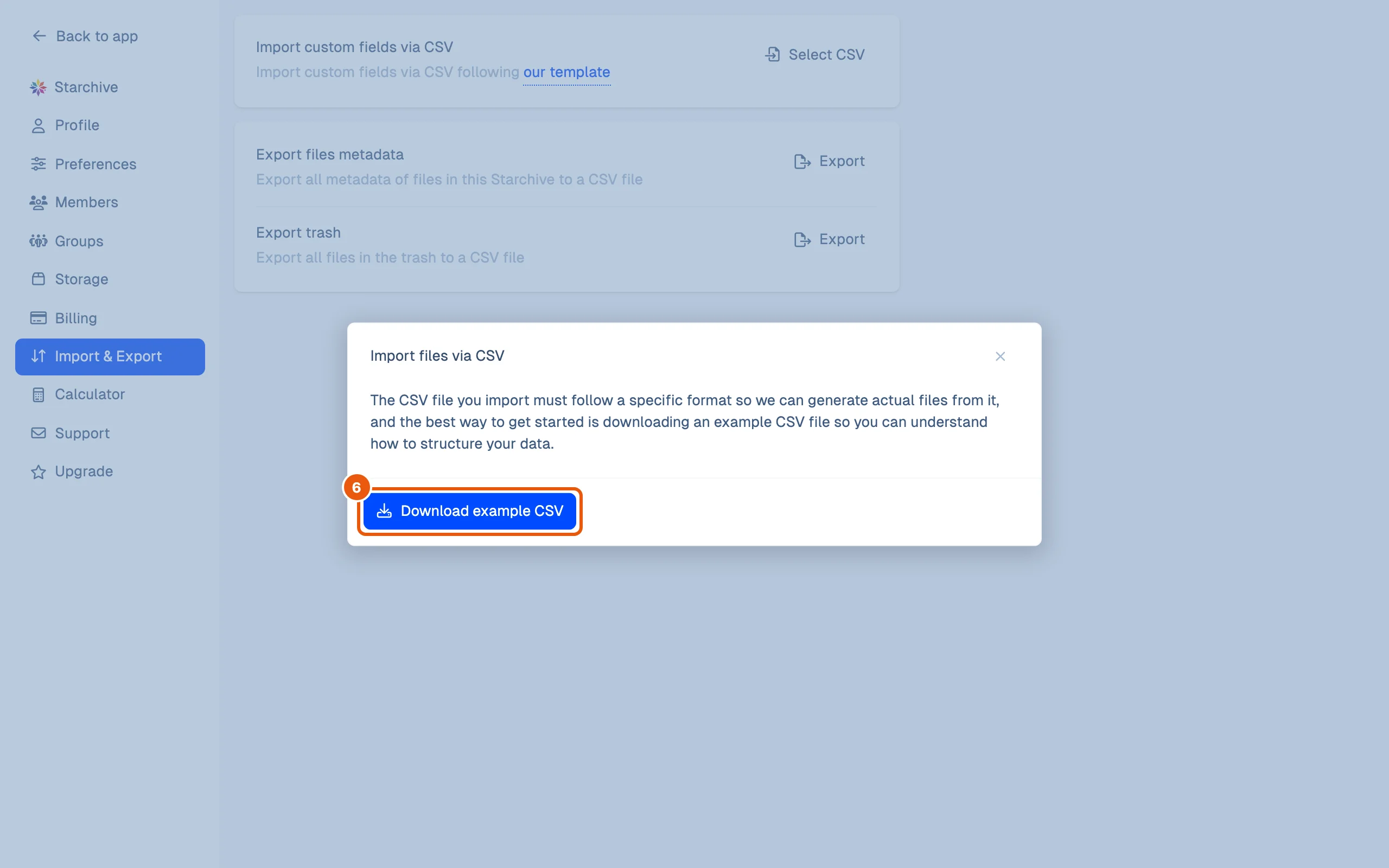
- On the same page, click our template, in following our template.
- The popup explains that the CSV file must follow a specific format, and Download example CSV gives you an example to copy.
Good to know
- The popup is titled Import files via CSV, while the row on the page says Import custom fields via CSV.
- To export the details of files you choose, rather than the whole workspace, use Download as… → CSV on a selection; see Download.
- What is in the Trash, and how to get files back from it: Delete and recover files.
How this page was checked
The page and the template popup were opened as the workspace’s owner. For this guide no CSV was imported, the example CSV was not opened, and neither Export button was pressed, so this page does not describe what they produce.
Questions
How do I export the details of only some files?
Select them in Files, right-click, and choose Download as… → CSV; see [Download](/guide/work/download).
Can members export?
The Import & Export page is not in a Limited member's Settings menu.