Adding files
Name your files
Rename a file, and choose names that sort, search and read well.
Archivist Admin
Checked in Starchive on October 12, 2026
A scanner calls everything scan-0001. You want names that tell people what a file is, and that put files in a useful order.
Steps
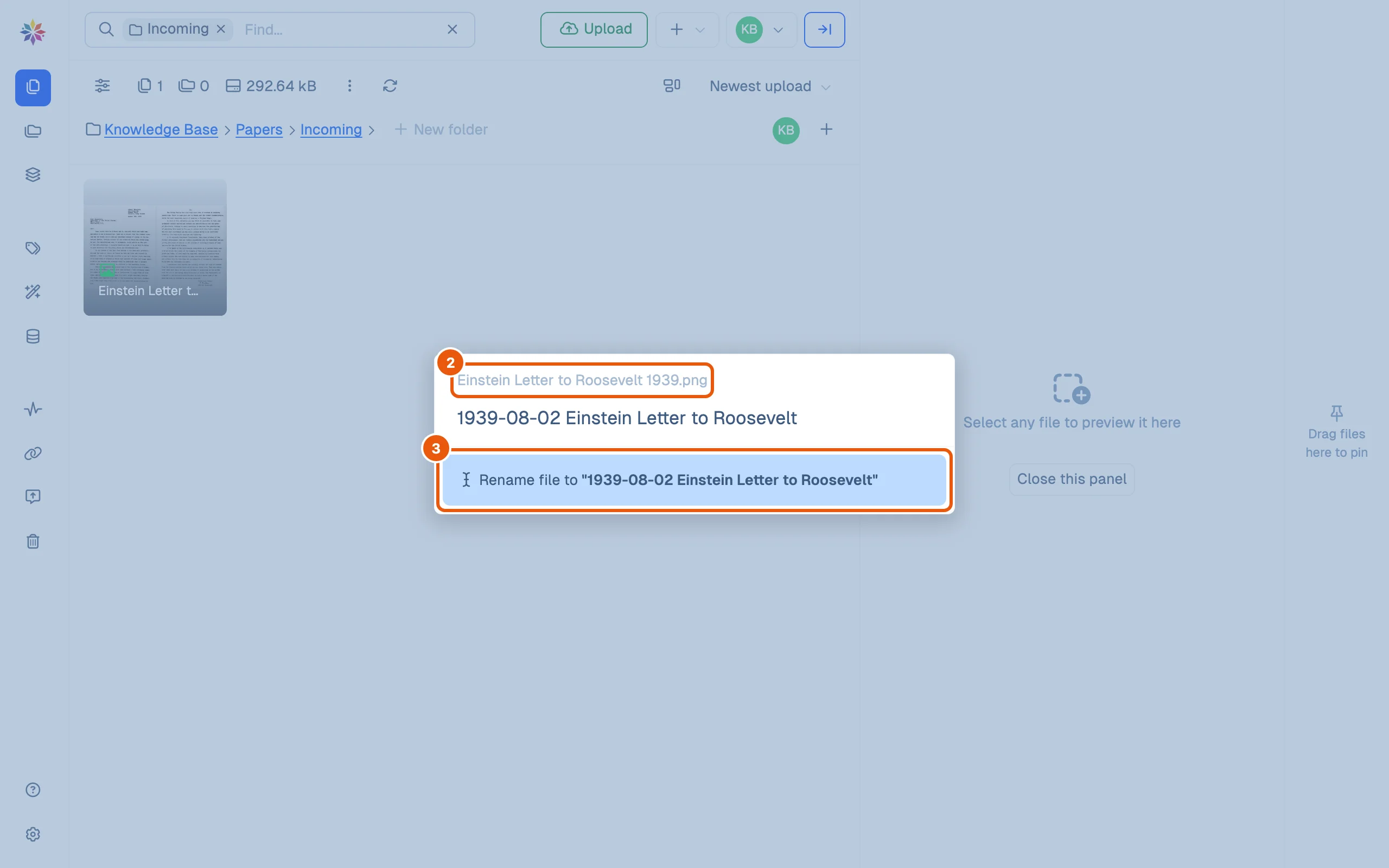
- Right-click the file (or use the ⋮ on its tile) and choose Rename.
- The dialog shows the current name, here Einstein Letter to Roosevelt 1939.png, and selects the part before the extension.
- Type the new name and press Enter, or click Rename file to ”…”. The extension stays as it was.
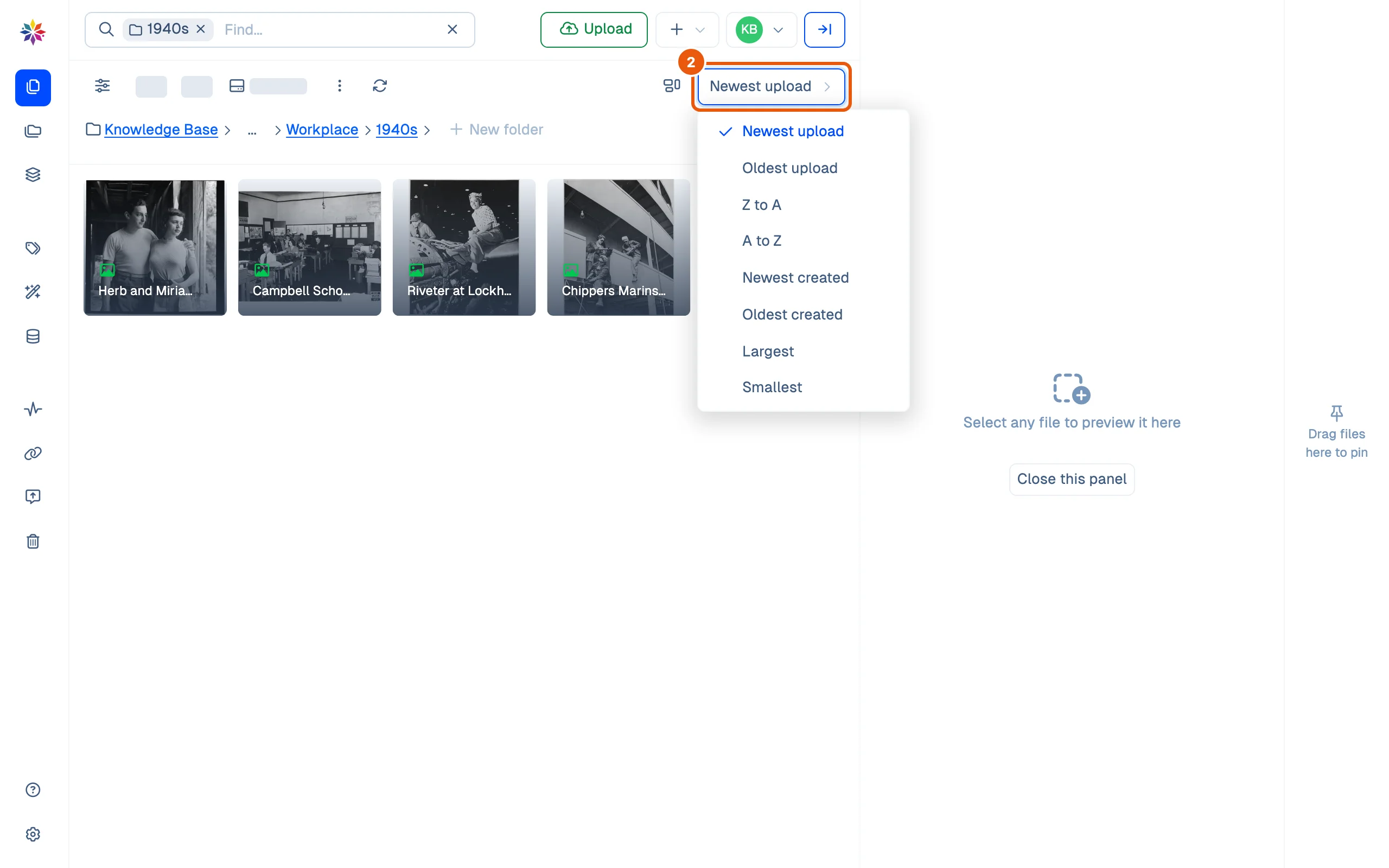
- To check the order, open the sort menu and choose A to Z.
Good to know
- A file arrives with the name it had on your computer. Renaming before you upload saves a step for every file.
- Search finds part of a name, in any capitals: roosev finds the letter, and a Roosevelt speech with it. Words in the name are words people can find it by.
- The grid cuts long names short (Einstein Letter t…), so put the words that tell files apart first.
- A to Z sorts by name, character by character. A date written year first, 1939-08-02, puts files in date order; 2 Aug 1939 does not.
A naming pattern that works
Pick one pattern for a collection and keep to it:
| Part | Example | Why |
|---|---|---|
| Date, year first | 1939-08-02 | Sorts in date order under A to Z |
| What it is | Einstein Letter to Roosevelt | Readable in search results |
| Number, with leading zeros | p01, p02 … p12 | p2 would sort after p12 |
Leave out what Starchive records anyway (who uploaded it and when), and put what people filter by into fields and tags rather than the name: a name can hold one date, a field can be searched and filtered.
Questions
Does search find a file by its new name?
Yes, straight away. Search for part of the new name; the old name no longer matches.
Can I change the extension?
No. Rename edits the name in front of it; .png stays .png.
Can I rename many files at once?
Not in the app. Rename them on your computer before you upload, or ask about Star-Tools, Starchive's companion app for bulk work.