Administration
Custom field visibility
Choose who can see a custom field, from Total access members only to anyone a file is shared with.
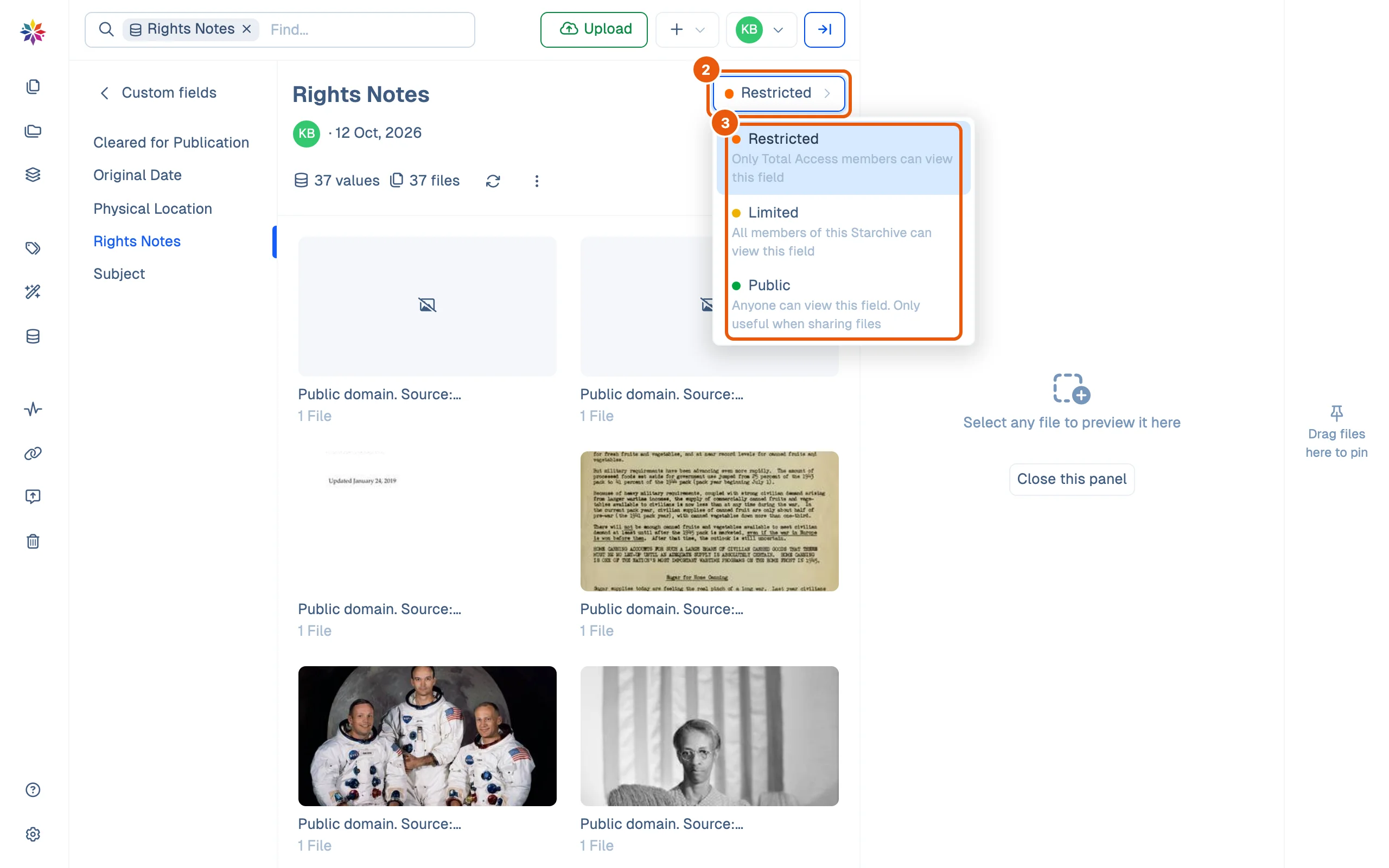
Some details are for everyone, some for staff only. Every custom field has a visibility that decides who sees it: here, Rights Notes is kept to Total access members.
Set a field’s visibility
- Click Custom Fields in the left rail and double-click a field to open its page.
- Click the visibility button beside the field’s name. It shows the current level.
- Choose one:
- Restricted: Only Total Access members can view this field.
- Limited: All members of this Starchive can view this field.
- Public: Anyone can view this field. Only useful when sharing files.
What each level hides
| Visibility | Members with Total access | Other members | People who open a share link |
|---|---|---|---|
| Restricted | See it | Do not see it: not in Custom Fields, not in a file’s details | Do not see it |
| Limited | See it | See it | Do not see it |
| Public | See it | See it | See it, under each file |
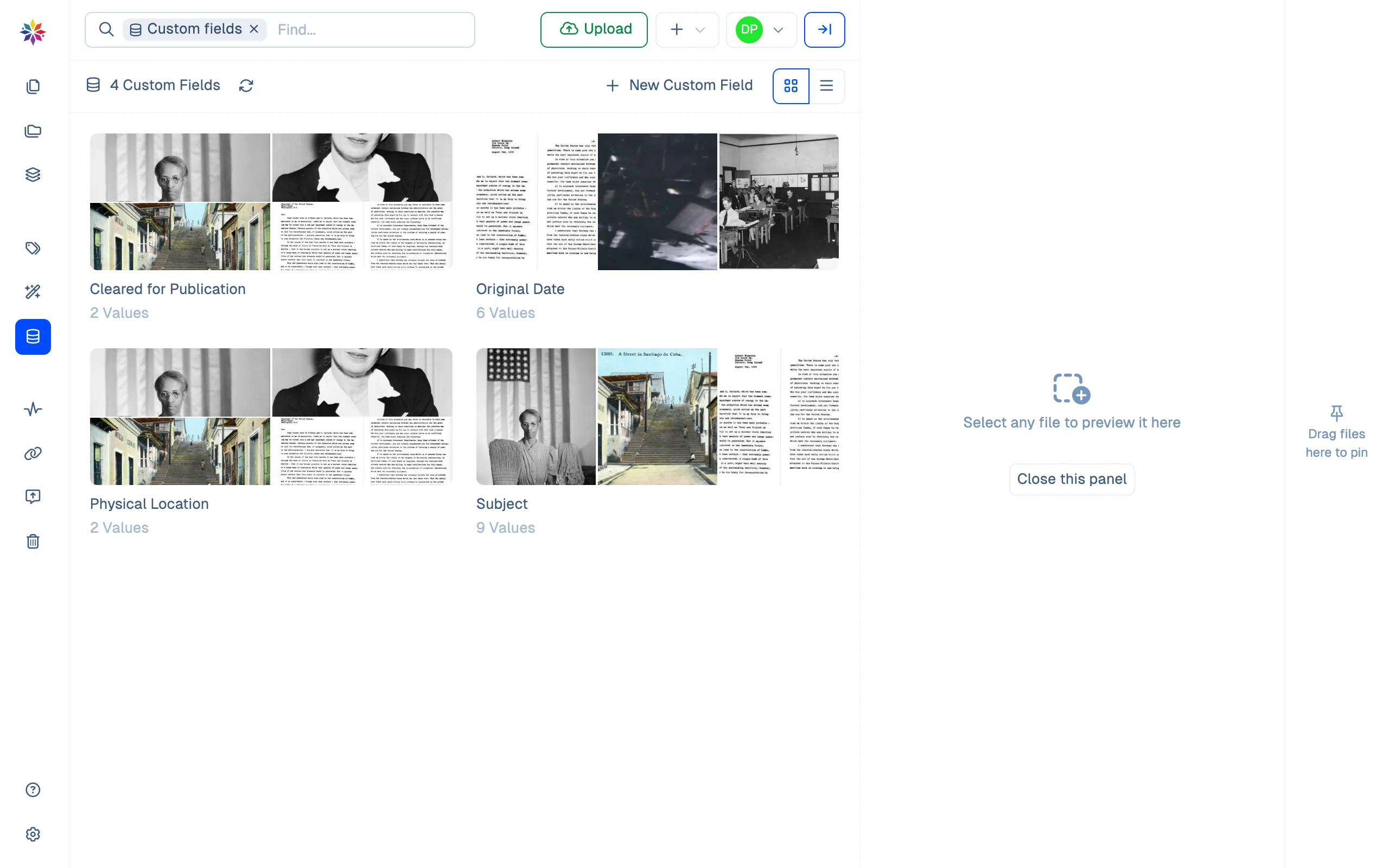
A Limited member’s Custom Fields screen lists only the fields they can see: four here, without Rights Notes.
Good to know
- The change takes effect on the member’s next page load.
- A field’s visibility is first chosen when it is created; see Fields and tags.
- On a share link, a Public field appears under the file, for example an Original Date; see Share settings.
How this page was checked
Physical Location was switched from Limited to Restricted. Signed in as a Limited member, the field had gone from Custom Fields (three fields listed) and from a scan’s details. It was then switched back to Limited. Rights Notes, shown above, is Restricted throughout. The share-link column comes from Share settings.
Questions
Does changing a field's visibility change its values?
No. The values stay on the files; only who can see them changes.
Which visibility should a rights or restrictions note have?
Restricted, if only staff with Total access should read it; Limited, if every member should. Public only when people you share files with should see it under each file.
Does a change show a confirmation?
No message appears. The button beside the field's name shows the new level straight away.